

Upload your resume to the Right Track Hub
Uploading your resume to the Right Track Hub.
1. Log into your account on the Right Track hub. https://righttrack-app.stpaul.gov/
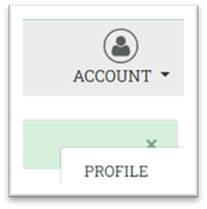
2. Once you’re logged in go to the top right corner, click on “Account” then click on “Profile”
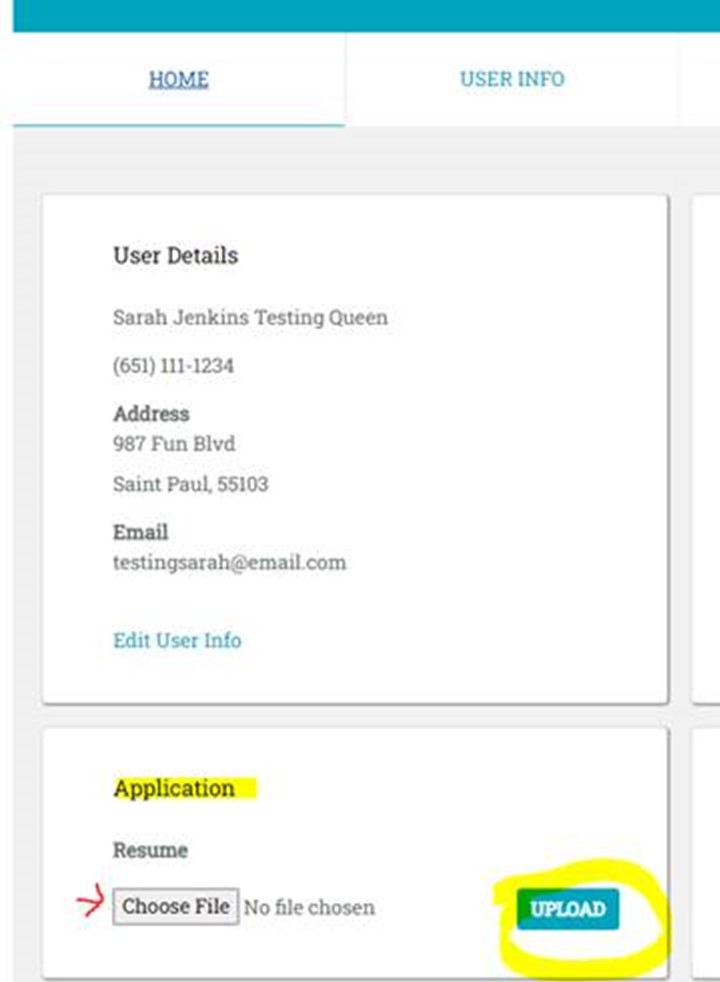
3. Under the “Home” tab, you will see a section called “Application” and under it there is a button for you to upload or replace your resume. Click “Choose file” to select your files/resume.
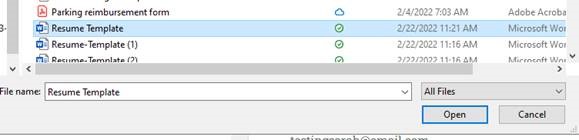
4. Once you have selected your resume, click “Open”.
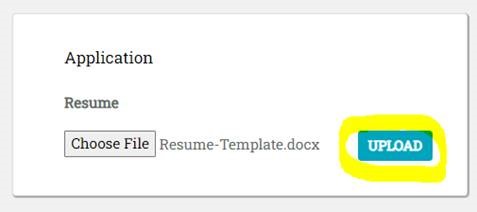
5. Click on the “Upload” button.
Share Upload your resume to the Right Track Hub on Facebook
Share Upload your resume to the Right Track Hub on X (formerly Twitter)
Share Upload your resume to the Right Track Hub on Linkedin
Email Upload your resume to the Right Track Hub link
